
Jan
12
Things you will need:
- Arduino Mega 2560 R3: http://arduino.cc/en/Main/ArduinoBoardMega2560 ($50).
- USB A to B Cable (Dollar Tree? $1).
- Arduino SDK: http://arduino.cc/en/Main/Software (Free).
- State of the art computer running: Windows 7 (You have one right?).
BeerICEE! (Must have…. Ohh and buy me one *Donate*).
First you will need to Download the SDK Go to their site and find it… (Make sure its for Windows 7). Next you will need to unzip it I put it in “My Documents” folder. Then after that do the following witch I have spent the last 30 mins making….. (So… Much time….).
Open up Control panel and click on: Control Panel > Hardware and Sound.
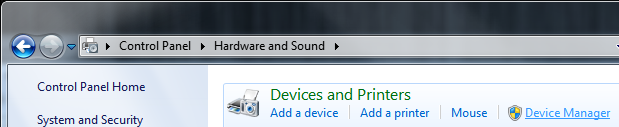
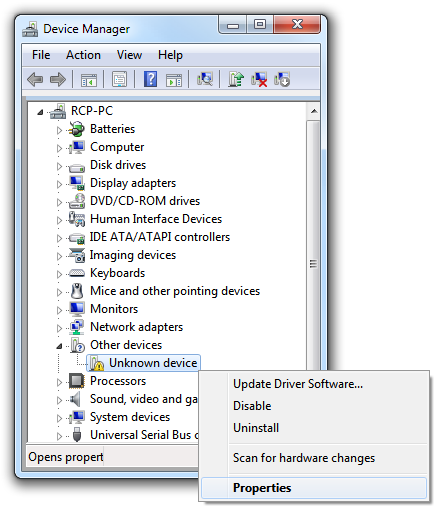
Then with Device Manager is open click on: Device Manager > Other devices > Unknown device > Properties.
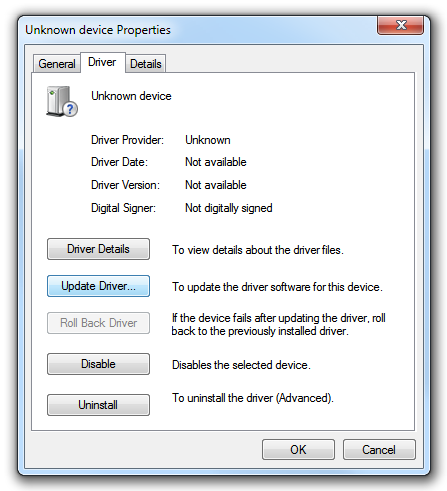
Now with Unknown device Properties open click on: Driver Tab > Update Driver.
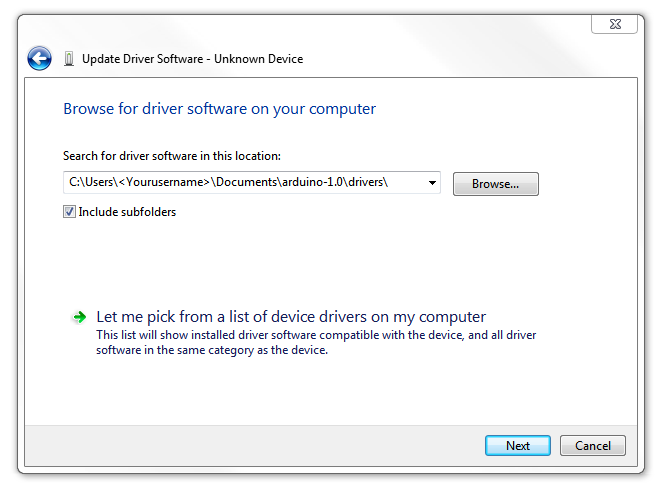
When the next window opens pick: Browse my computer for driver software.
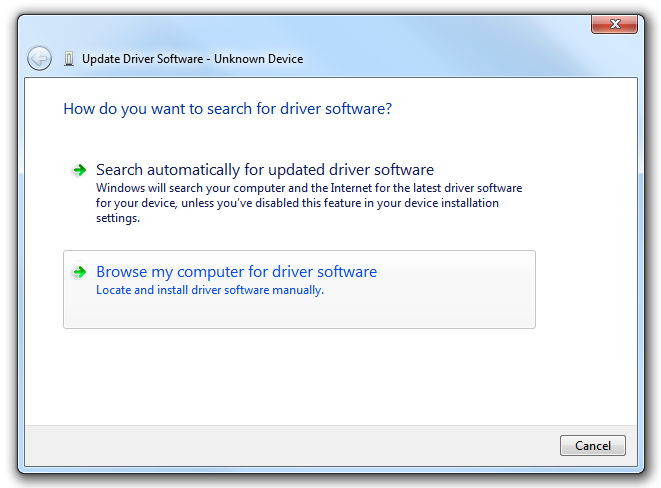
At this window you will enter the path to the arduino/drivers/ folder in your “My Documents” folder.
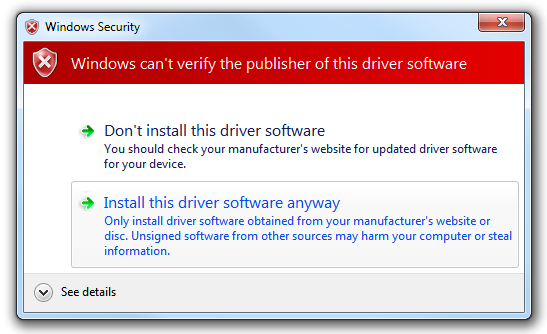
Poor windows Security just click: Install this driver software anyways.
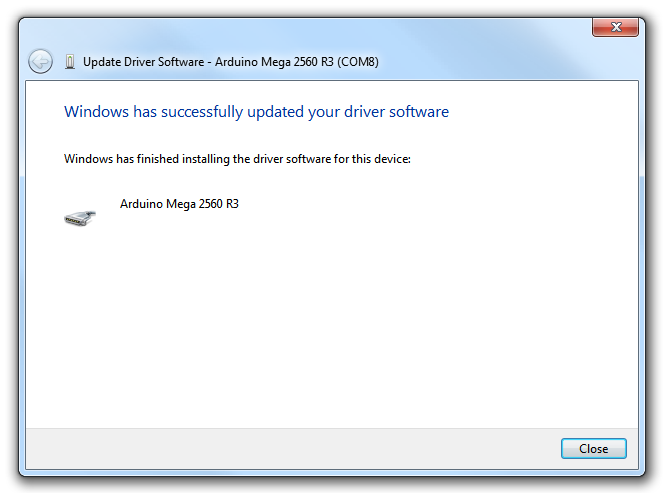
Yay… Achievement unlocked: Click Close!
Open up arduino.exe (It’s in the folder… in “My Documents/arduino/”).
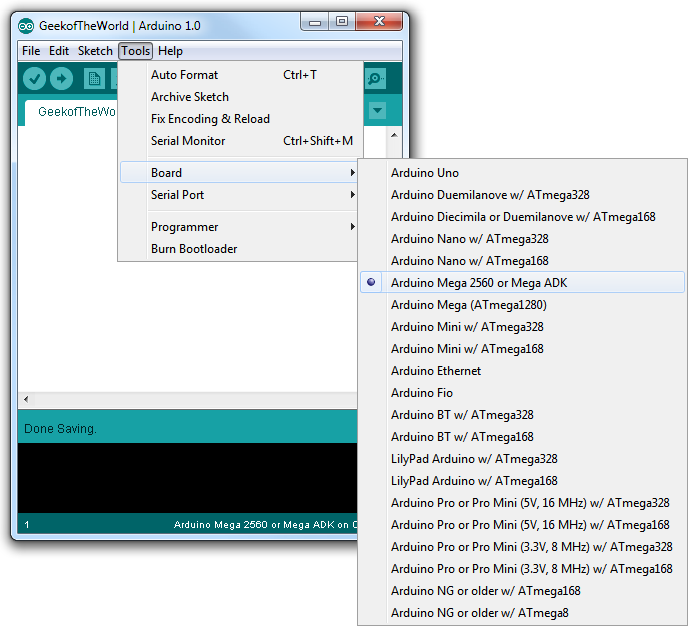
Next go to: Tools > Board and click on: Arduino Mega 2560 or Mega ADK
On this screen we are going to open a Example….
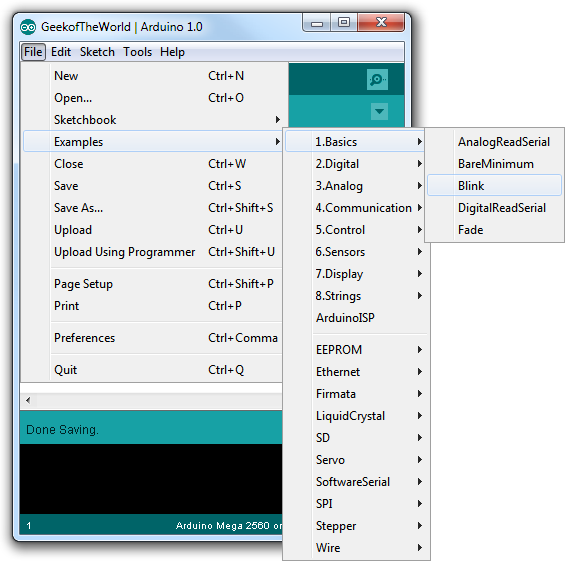
Time for Compile…..
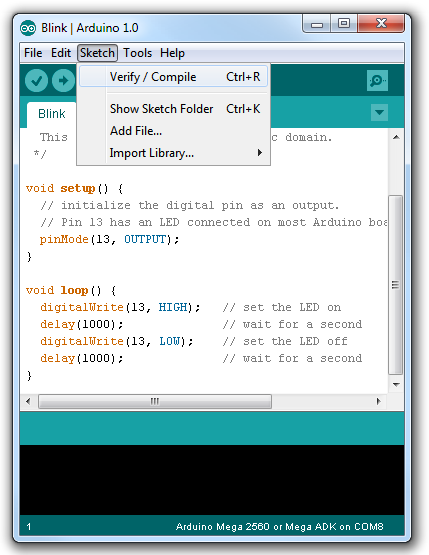
Achievement unlocked: You have compiled goodness(TM)….
Now You are Mr. l337 Haxor will rulz the worlds….
Its good and complete. Helpful to me and I finished my work without any hurdles..
Thanks!
This is one of the most helpful thing I have ever found on any website. Thanks
[…] تصویری آن در تصویر آدرس زیر مکمل آموزش اصلی می باشد : http://thegeekoftheworld.com/arduino-mega-2560-drivers-install با آمید موفقیت برای تمام دوستان و تشکر از پرسنل آفتاب […]
Hi friends,
my name is sameer In robotics we have a great use of microcontroller. The Arduino Mega 2560 is a microcontroller board based on the ATmega2560 (datasheet). It has 54 digital input/output pins (of which 15 can be used as PWM outputs), 16 analog inputs, 4 UARTs (hardware serial ports), a 16 MHz crystal oscillator, a USB connection, a power jack, an ICSP header, and a reset button. It contains everything needed to support the microcontroller; simply connect it to a computer with a USB cable or power it with a AC-to-DC adapter or battery to get started. The Mega is compatible with most shields designed for the Arduino Duemilanove or Diecimila. Aurdino Mega is the updated version of Mega 2560 and due to its better features it replaces it. Robomart is one of the seller which sells it. I have purchased it from different places but they didn’t give the better performance finally I purchased it from robomart and found not any problem in last few weeks. I have searched in various sites to purchased it.
Thank you,
the pics are not showing
Sorry this was due to a bug with https and I just fixed it.